How to Choose AI Video Reference Assets: A Multimodal Guide
Learn how to organize AI video reference assets across character images, product shots, motion videos, audio, and 3D blockouts without creating conflicting instructions.
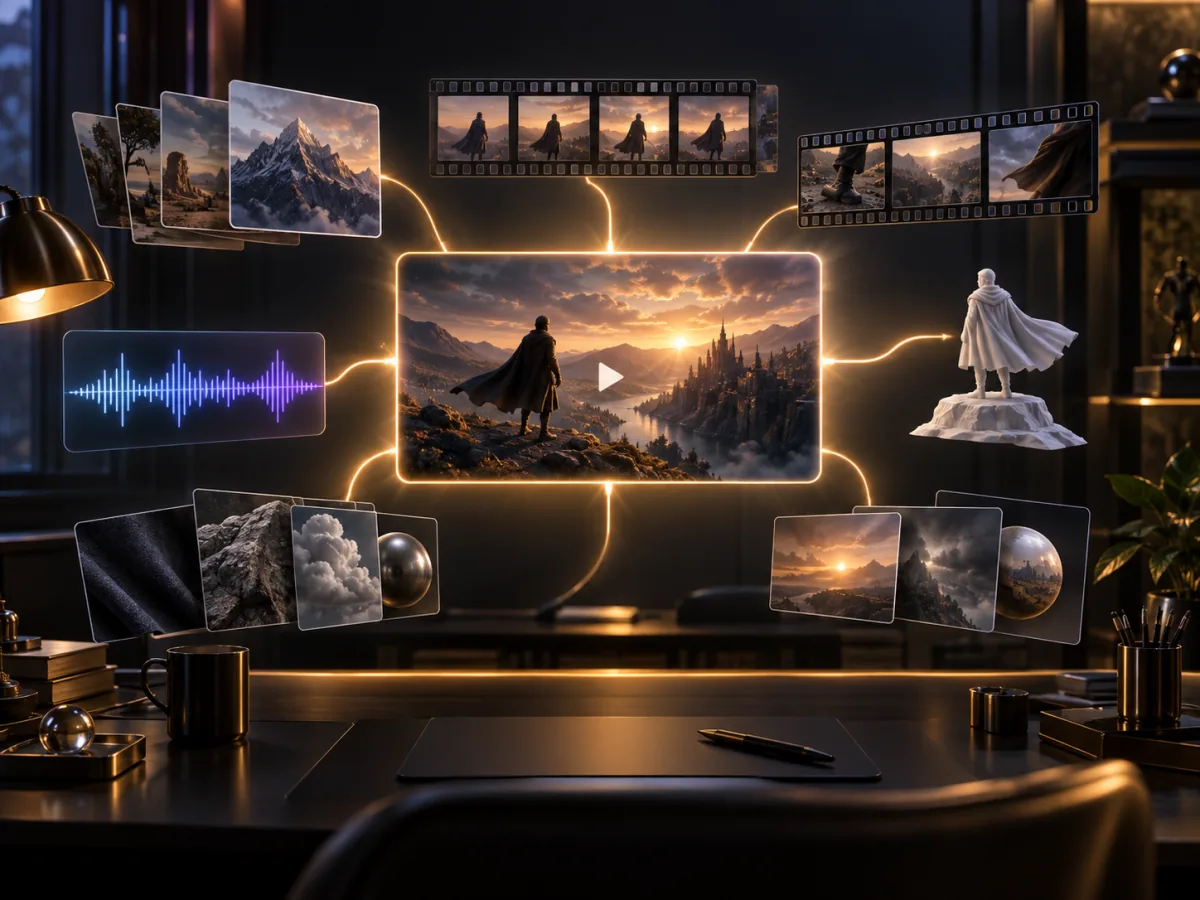
Support for up to 50 references is one of the most discussed Seedance 2.5 features on X and Reddit. One generation can use up to 30 images, 10 video clips, and 10 audio clips to guide characters, products, environments, motion, camera work, and sound.
That number is a capacity, not a recommendation.
The quality of a generation depends less on how many files you upload and more on whether every AI video reference asset has one clear job. When identity images, style frames, and motion clips disagree, adding more references can create more ambiguity instead of more control.
What each AI video reference asset should control
1. Character and product images define identity
Still images are best for locking static visual details:
- Faces, hair, and clothing
- Product geometry and brand colors
- Environment layout
- Materials, lighting, and visual style
For a character, prepare a front view, three-quarter view, and side view. For a product, prioritize an overall image, a side view, and close-ups of important details.
Avoid mixing visibly different versions of the same subject. If a button appears in a different position across three product images, the model has to decide which version is correct.
2. Reference videos define movement
Video references communicate information that is difficult to describe precisely with words:
- Character movement and performance
- Dance and body rhythm
- Camera paths
- Product movement
- Transition speed
If you only want the camera movement, say that explicitly: “Reference only the camera path. Do not copy the person, clothing, or environment.” Otherwise, the model may interpret the entire clip as a creative reference.
3. Audio defines timing and energy
Audio can guide several different elements:
- Background music
- Dialogue delivery
- Environmental sound
- Action beats
- Emotional progression
Do not use one noisy track containing music, speech, and uncontrolled ambience to direct every audio decision. A reference with one clear role is easier to follow.
4. Clay renders define spatial structure
A clay render is an untextured 3D blockout. It can establish character positions, object placement, movement paths, camera angles, and spatial relationships before final rendering.
For complex ads, architecture shots, or scenes with several performers, a simple blockout can communicate staging more clearly than a long paragraph.
Build a minimum sufficient reference set
Do not begin by filling all 50 slots. Start with the smallest set that describes everything the shot must preserve.
For a product ad, an initial set might contain:
- 3 product images: front, side, and detail
- 2 character images: front and side
- 2 environment images: layout and lighting mood
- 1 video: camera movement
- 1 audio clip: musical pacing
Generate the first version with those nine assets. If the character drifts, add another useful identity angle. If a product detail is wrong, add a close-up of that detail.
Do not add files until you know what information is missing.
Assign a job to every reference
Bind each asset to a specific role in the prompt:
@Image1: front identity reference for the main character
@Image2: side identity reference for the same character
@Image3: front product geometry reference
@Image4: product side and port details
@Image5: interior layout and color direction
@Video1: use only the close-up-to-wide camera movement
@Audio1: control the pacing of the complete video

Keep the identity from Image1 and Image2 unchanged.
Follow the product geometry in Image3 and Image4.
Do not copy the subject, clothing, or background from Video1.
This gives every asset an explicit production role. The model no longer needs to guess which file defines identity and which one only controls the camera.
Three common reference conflicts
Style conflict
One image is realistic photography, another is anime, and a third is glossy 3D. Unless the prompt asks for a deliberate transformation, the model has no single visual direction.
Motion conflict
The text asks for a fast sprint while the video reference shows a slow walk. Speed and body posture may become unstable.
Identity conflict
Face references that depict different people—or the same person with large age, makeup, or hairstyle changes—can create identity drift.
The solution is simple: one reference should perform one job, and every job should have one clear answer.
A reusable asset-preparation workflow
- List every subject that must remain unchanged.
- Build a consistent image set for characters and products.
- Separate movement references from visual-style references.
- Remove duplicate, blurry, and contradictory files.
- Label the role of every asset in the prompt.
- Add new references only after the first result reveals a missing constraint.
When the set is ready, open the video generator and choose the multimodal reference workflow. For longer scenes, pair the asset plan with our 30-second AI video guide.
Frequently asked questions
Do more references always improve character consistency?
No. High-quality images of the same identity from complementary angles can help. Duplicate or contradictory references can make the result less stable.
Should I prioritize image or video references?
Images are better for appearance; videos are better for motion and camera direction. Character-led scenes often benefit from both.
Can I upload assets without describing their roles?
Yes, but the model must infer what each asset controls. Explicit role labels become more valuable as the reference set grows.
Final takeaway
Professional reference control is not about uploading the maximum number of files. It is about expressing the creative brief with the smallest set of unambiguous assets.
Decide what defines the character, product, environment, movement, and audio before adding files. Fifty reference slots are a creative ceiling, not a checklist.
Source: ByteDance Seed technical blog
Categories
More Posts

Hybrid Workflow: Local Control to Seedance Rendering
Master the hybrid workflow. Use ComfyUI and local models for precise skeleton control, then leverage Seedance 2.0 to achieve cinematic 2K finish.

Seedance 2.0 Copyright Controversy Guide
Hollywood vs ByteDance — the Seedance 2.0 copyright dispute explained. Understand your legal risks and how back-end creators stay protected.

Seedance 2.0 Is Finally Available: Best Seedance 2.0 Prompts and How to Start Creating Today
Try Seedance 2.0 online! Discover the best Seedance 2.0 prompts and workflows to create cinematic AI videos at Seedance2.online now.