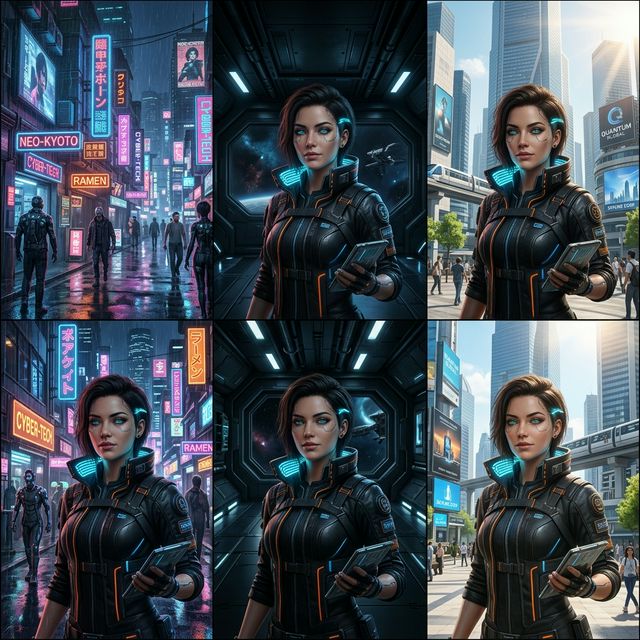
Master Seedance 2.0 Character Consistency: Top Hacks from Reddit & X
Struggling with identity drift in Seedance 2.0? Discover proven techniques to achieve perfect character consistency across scenes—straight from the community.
Character consistency is the holy grail of AI video generation—and the one area where creators on Reddit and X are talking constantly about Seedance 2.0.
The promise is huge: a single character, walking through a forest, then a city, then a sci-fi interior—and her face, hair, jawline, and every subtle detail remain exactly the same. That's the dream. And while Seedance 2.0 gets closer to that dream than almost any other model out there, it still takes the right approach to nail it.
This guide distills the most upvoted tips, threads, and workflows shared across the community. Let's get into it.
What Is Seedance 2.0's Character Consistency System?
Before we talk fixes, let's acknowledge what ByteDance actually built into Seedance 2.0:
- Identity Preservation System: A dedicated mechanism that "memorizes" the character's core visual signature—facial structure, proportions, hairstyle, and clothing.
- Reference Base Generation: Uses your uploaded reference images as ground truth, anchoring the character's appearance at the model level.
- Multi-Shot Consistency Engine: Attempts to propagate that identity across multiple clips and scene transitions automatically.
For narrative content, advertising, and film prototyping, this is genuinely powerful. ByteDance markets it as solving the classic "character morphing" problem—and to a large degree, it does.
The Reality Check: What Reddit and X Are Actually Saying
Here's the truth: the system works brilliantly most of the time. But there's a specific failure mode that the community keeps running into.
The Dreaded "Identity Drift"
Identity drift is the subtle, slow degradation of a character's appearance—often invisible in the first clip, but compounding across multiple generations. What you'll notice:
- Jawline creep: The jaw gradually shifts from sharp to soft, or vice versa.
- Hair inconsistency: Curls become waves, fringes shorten or lengthen.
- Eye tilt & brow shape: Micro-features that define a face quietly morph between cuts.
- Skin tone shifts: Particularly pronounced under different lighting conditions.
The model isn't "forgetting" your character—it's just that motion generation and character fidelity are competing optimization targets. When a clip gets dynamically complex, the model sometimes sacrifices micro-detail to prioritize smooth motion.
When Does It Happen Most?
Based on community reports, identity drift is most severe during:
- Hard scene transitions (interior to exterior, day to night)
- Head turns of more than ~45 degrees
- Close-to-mid shot distance changes
- High-energy actions (running, fighting, expressive emotions)
5 Proven Hacks for Perfect Character Consistency
These are the methods that have the most community validation—tested by real creators, not just theory.
Hack 1: Master the Reference Image Rule
This is the single highest-impact intervention. The quality and composition of your reference images directly determine how well Seedance 2.0 "locks" the character.
The winning setup:
- 3 angles minimum: One straight-on (front), one three-quarter turn, one profile.
- Consistent lighting: Use the same neutral, even lighting in all three. Avoid dramatic shadows—they confuse the model about the actual facial structure.
- Neutral expression: A relaxed, neutral face gives the model the cleanest baseline. Save the emotions for the prompts.
- High resolution: Don't use compressed or low-res images as references. The model needs the texture data.
💡 Pro tip from the community: Several creators swear by generating a "character sheet" first—a single image showing the character from all angles simultaneously—and then using that as the primary reference. It gives the model all the spatial information it needs in one shot.
Hack 2: Image-to-Video Always Beats Text-to-Video for Characters
If you're generating a character-driven scene using only text prompts, you're fighting the model. Text-to-video is superb for establishing shots, environments, and abstract visuals. For character work, always anchor with an image.
The workflow:
- Generate (or source) a high-quality, on-model still of your character.
- Upload it as the first frame reference.
- Then write your motion prompt around that anchor.
This locks the character's appearance at frame 0 and forces the generation process to maintain it. It's not a workaround—it's how the system is designed to be used at a professional level.
Hack 3: Lock and Freeze Your Character Prompts
Inconsistent prompts are a silent killer of character consistency. If you describe your character slightly differently across clips—even with synonyms—you introduce variance that compounds across generations.
Rules to follow:
- Write your character's canonical description once, then copy-paste it verbatim into every prompt. Don't rephrase.
- Keep it focused: face, hair color/style, one or two clothing anchors. Don't over-describe.
- Avoid complex costume descriptions that involve drape, folds, or movement—these can cause mid-clip clothing drift.
- Strip any vague "style" words like "cinematic", "elegant", or "dramatic" from the character description block. Put those in the scene description instead.
Hack 4: Scene Management—Small Jumps, Not Big Leaps
The consistency engine struggles most when asked to bridge large visual gaps. Think of it like asking someone to remember a face across radically different contexts—the more different the context, the harder it is to stay precise.
What works:
- Generate longer, continuous clips when possible rather than short clips stitched together.
- Keep lighting conditions consistent within a scene (change light between scenes, not within them).
- If you need a location change, use a transitional shot (door opening, cut to hands, environmental detail) rather than a hard cut.
- Use similar camera distances across related clips. Mixing extreme close-ups with wide shots in the same sequence increases drift risk.
Hack 5: Start Simple, Then Layer Complexity
One of the most common mistakes new Seedance 2.0 users make is asking for complex actions immediately. The model's identity preservation system has more "compute budget" to work with when the motion is simpler.
The escalation approach:
- Start with low-complexity actions: walking, standing still, slight head turns.
- Confirm the character is locking correctly across those clips.
- Only then escalate to more dynamic actions: running, expressive gestures, complex interactions.
This isn't a permanent limitation—it's a workflow strategy. Once you have reference clips where the character is stable, you can use those as video references for more complex generations.
Putting It All Together: A Consistent Character Workflow
Here's the end-to-end workflow distilled from the community's best practices:
- Create a character sheet (3-angle reference image, neutral lighting).
- Generate your first clip using Image-to-Video with the character sheet as the anchor frame.
- Use the last frame of that clip as the first frame reference for your next clip.
- Keep your character prompt locked—copy-paste, never rephrase.
- Escalate complexity gradually—simple actions first, complex actions second.
- Minimize context jumps—use transitions, keep lighting consistent within scenes.
Chain these clips together in post-production and you'll have a consistent character through an entire narrative sequence.
Final Thoughts
Seedance 2.0's character consistency system is genuinely impressive compared to where the field was even a year ago. The "identity drift" problem is real, but it's manageable with the right workflow—and the community has done the hard work of figuring out what actually works.
The creators getting the most out of this tool aren't fighting the model. They're working with its strengths: anchoring with high-quality references, using image-to-video workflows, and building consistency through disciplined prompt management.
Try these techniques on your next project and see the difference for yourself.
Categories
More Posts

Seedance 2.0 vs Sora vs Kling: 'Controllability' is King
A deep comparison of leading AI video models in 2026, revealing why Seedance 2.0 wins in professional workflows.

How to Choose AI Video Reference Assets: A Multimodal Guide
Learn how to organize AI video reference assets across character images, product shots, motion videos, audio, and 3D blockouts without creating conflicting instructions.

AI Video Local Editing: Fix a Shot Without Starting Over
Learn how AI video local editing uses timestamp instructions, green-screen replacement, camera changes, and reference-based edits to repair a clip without regenerating everything.